Step 3
Now go to Linux Server running Oracle database and login to the Oracle database from user account where you want to transfer the table. Let's say suppose we want to transfer the table to Scott account,
Start SQL * Plus and login as scott user

We need to create a table structure in scott account to hold the rows, you can create the table with same name or different but the column structure should be same as MS SQL Server table. You should also substitute MS SQL Server datatypes with similar datatypes available in Oracle. For Example INTEGER can be mapped to NUMBER datatype in Oracle, VARCHAR to VARCHAR2 in Oracle etc. The column widths should be same or more but not less than original table length.
The MS SQL Server Table structure
CREATE TABLE [dbo].[customers](
[CustomerID]
[varchar](5) NOT NULL,
[CompanyName] [varchar](40) NOT NULL,
[ContactName]
[varchar](30) NULL,
[ContactTitle] [varchar](30) NULL,
[Address] [varchar](60)
NULL,
[City] [varchar](15) NULL,
[Region] [varchar](15) NULL,
[PostalCode]
[varchar](10) NULL,
[Country] [varchar](15) NULL,
[Phone] [varchar](24)
NULL,
[Fax] [varchar](24) NULL,
)
We have to convert the above table structure to match Oracle database. To do this remove the Square braces and replace varchar with varchar2.
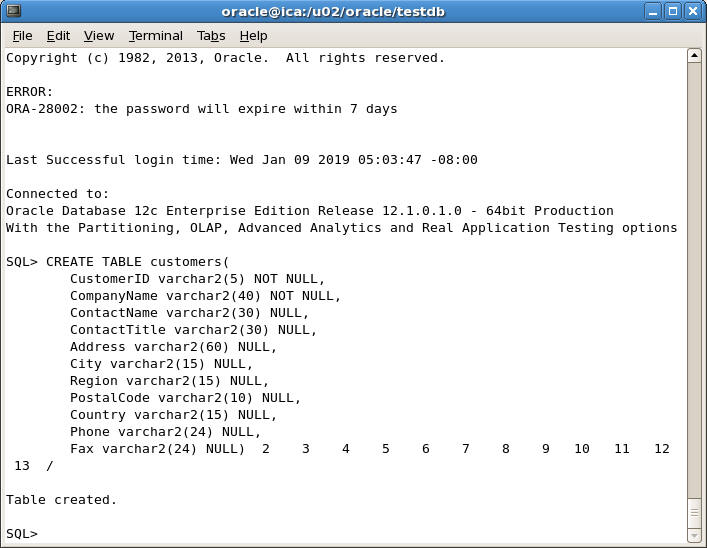
Here is the matching Oracle structure
CREATE TABLE customers(
CustomerID
varchar2(5) NOT NULL,
CompanyName varchar2(40) NOT NULL,
ContactName varchar2(30) NULL,
ContactTitle varchar2(30) NULL,
Address varchar2(60) NULL,
City varchar2(15) NULL,
Region
varchar2(15) NULL,
PostalCode varchar2(10) NULL,
Country
varchar2(15) NULL,
Phone varchar2(24) NULL,
Fax varchar2(24) NULL)
Now issue the above command at SQL Plus prompt
Next, we need to write a sqlloader control file