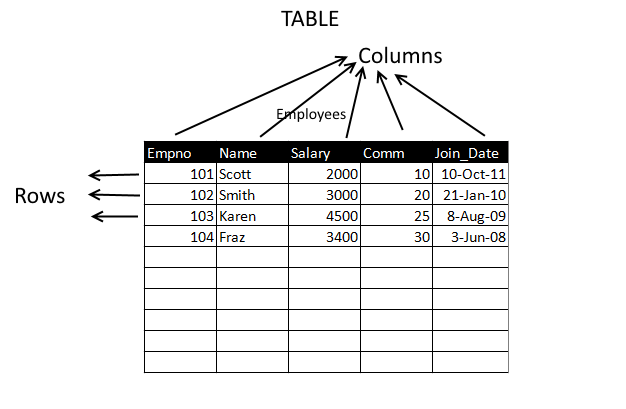
The table is the main structure for storing data in databases. A table is composed of rows and columns.
A table can represent a single entity that you want to track within your system. This type of a table could represent a list of the employees within your organization, or the orders placed for your company's products.
Consider the following guidelines when designing your tables:
- Use descriptive names for tables, columns, indexes, and clusters.
- Table Names, Columns Names can contain maximum of 64 characters and they should start with an alphabet.
- Be consistent in abbreviations and in the use of singular and plural forms of table names and columns.
- Select the appropriate datatype for each column.
Before creating a Table you need to decide what type of data each column can contain. This is known as datatype. We need to specify the datatype at the time of creation of a table and once you specify the datatype you can enter only that type of data in that column. Like for example in the above example "Employees" table, if you specify Empno column as integer then you can enter only numerical values into it. You cannot enter values with alphabets like A101, b102.
Datatypes in MySQL
MySQL comes with several data types to meet almost every need. These data types can be classified into following categories
- Numeric Datatypes
- String Datatypes
- Date & Time Datatypes
- Spatial Datatypes
- JSON Datatypes
For more information about data types please see next chapter
Now lets see how to create a table in MySQL. For example let us create a employees table with the following structure
- Empno
- Name
- Salary
- Comm
- Jdate
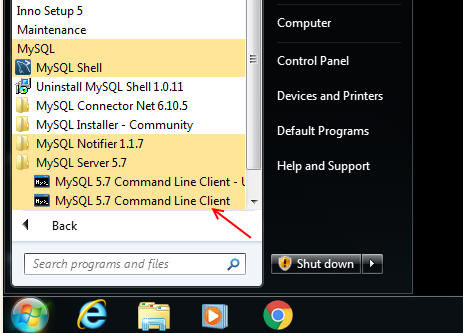
To create this table we need to start MySQL Command Line Client, so let us start it my clicking Start Button in Windows and then clicking on MySQL->MySQL Command Line Client as shown in the picture below
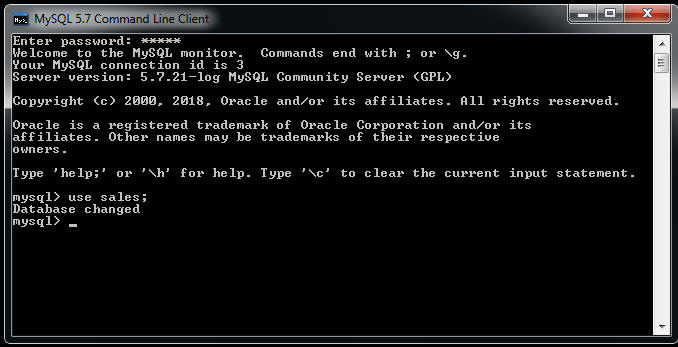
Enter root password to login
Then issue "use sales" statement to select 'sales' database. We will be creating the table in this database
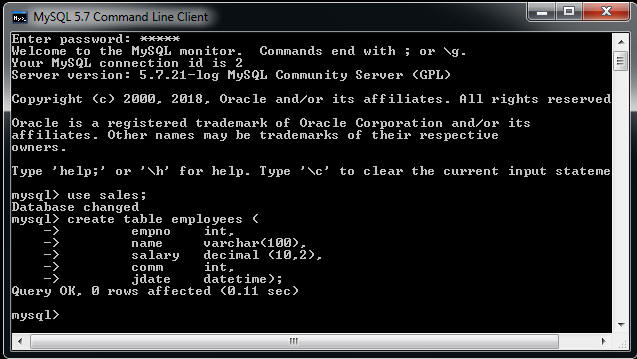
Now to create the table give the following command at mysql> prompt
create table employees (
empno int,
name varchar(100),
salary decimal (10,2),
comm int,
jdate datetime);
Once you type the above statement you should get "Query OK" message as shown below
The above statement is bare minimum for creating tables, we have left many advance features like constraints, indexes, default values and database engine, as we are in the beginner stage and we will dealt with it in the next chapters.
Now to enter rows in the table we can use INSERT statement.
Let us enter the following row into employee tables
empno:101
name:Scott
salary:4300
comm: 20
jdate: 10-10-2012
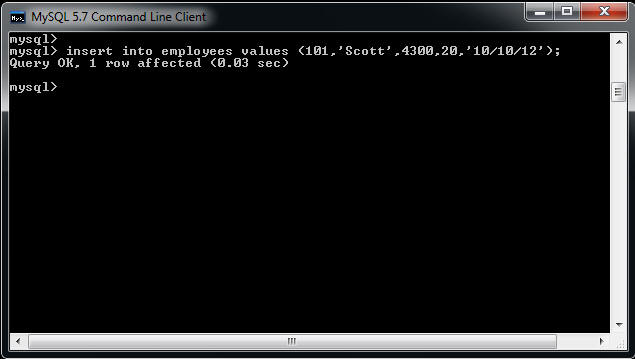
To insert a row give the insert SQL statement as shown below
insert into employees values (101,'Scott',4300,20,'10/10/12');
Similarly we can also insert several rows in one INSERT statement like this,
insert into employees values (102,'Smith',4000,15,'21/05/11'),
(103,'Karen',2400,20,'04/02/09'),
(104,'Fraz',5400,30,'27/11/11');

Next to view the rows in employees table, we can give SELECT statement
select * from employees;

We learn more about SELECT statement in next chapters
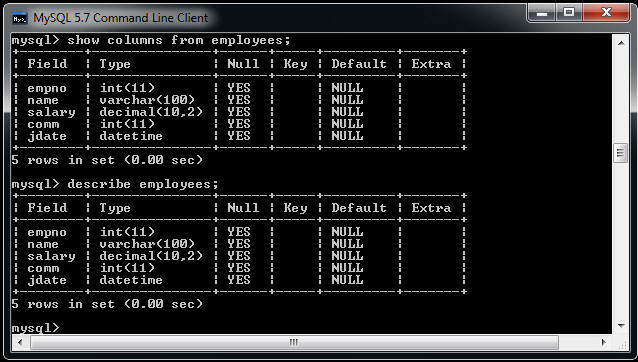
Now how to view the structure of table in MySQL. Suppose later on after
some days you forgot the number of columns in Employees tables or forgot
the exact names of these columns. In this case, you can give "SHOW
COLUMNS FROM <TABLE_NAME> statement or
DESCRIBE <TABLE_NAME> . In
MySQL both statements are identical.
Next MySQL Datatypes