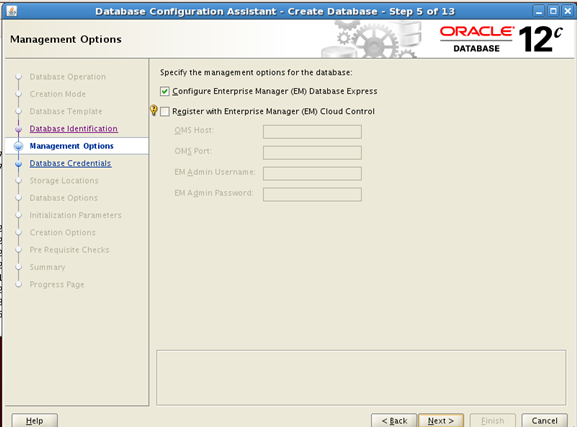
Check “Configure Enterprise Manager (EM) Database Express” option and click Next

Select “Use the Same Administrative Password for all Accounts” option and enter the common password as anything
you like. Here we will choose password as “Oracle” enter this value in Password and
Confirm password fields and click Next.

DBCA will now ask you to select a Listener. Since the listener was already configured during installation we will
select the default Listener and click Next.

Then you will be shown a “Storage Locations” screen as shown above.
In this screen Select “Use Common Location for all Database Files” option and enter “/u02/oracle”
in the Database File Locations field.
Check the “Specify Fast Recovery Area” option and enter “/u02/oracle/fast_recovery_area”
in he Fast Recovery Area field
Click Next